

Listen to this post: Technical SEO reality check: 10 Crawl and index issues that hide your best pages
Your best page can be live, fast, and beautifully written, yet still feel invisible. Not because Google “doesn’t like it”, but because the page never gets a fair shot at being crawled, rendered, and indexed.
That’s the blunt side of technical SEO: if discovery, crawl, or index signals break, quality doesn’t matter. The fix starts with calm diagnosis, using the Indexing pages report in Google Search Console, Crawl stats, and URL Inspection, then confirming with a pinch of log files.
Here are the ten issues that most often lock good pages behind the curtain.
| Issue that hides pages | Where you’ll spot it first |
|---|---|
| Orphan pages (no internal links) | URL Inspection, crawl paths, logs |
| Sitemap hygiene problems | Indexing pages report, sitemap status |
| Parameter and faceted spider traps | Crawl stats, logs, URL patterns |
| Robots.txt file blocking key URLs | Pages report “Blocked by robots.txt” |
| Blocked CSS/JS (rendering fails) | URL Inspection “Live test”, rendered HTML |
| Redirect chains | Crawl stats, URL Inspection, logs |
| Server errors (5xx) | Crawl stats host status, server monitoring |
| “noindex” leaks (meta or header) | URL Inspection, Pages report “Excluded by ‘noindex'” |
| Canonical conflicts and duplicates | Pages report duplicate reasons |
| Soft 404s and 200 error pages | Pages report “Soft 404”, URL Inspection |
Indexing triage in Google Search Console: prove what’s happening, fast
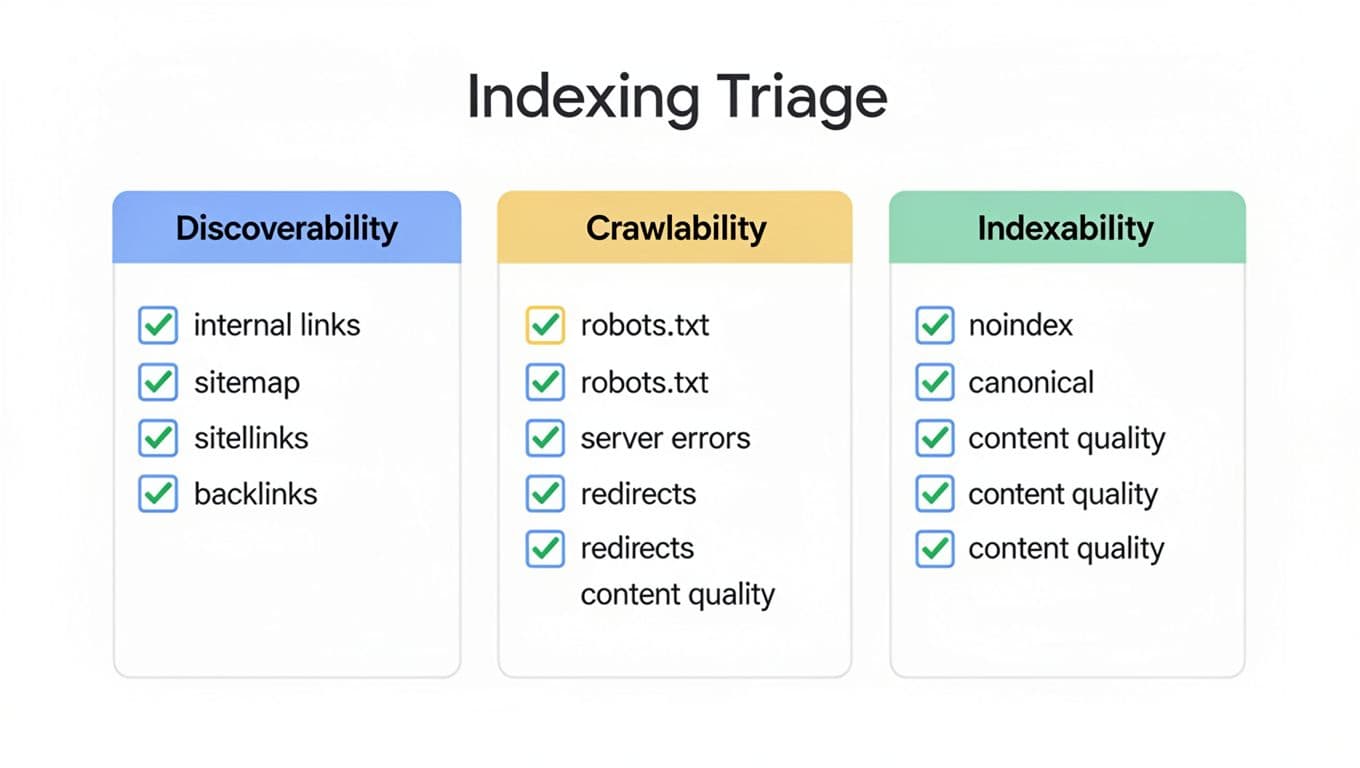
Start with one high-value URL that “should” rank, then work outwards.
In URL Inspection, check three things: whether it’s on Google, whether it was crawled, and what Google saw on the last fetch (including rendered output). Next, open the Indexing pages report and filter by patterns (template folders, parameters, language folders) rather than staring at totals. Finally, use Crawl stats to see whether Googlebot is spending effort on the right areas.
Issue 1 is orphan pages. A page with a weak internal linking structure is like a shop with no street sign. You might still submit it in a sitemap, but discovery stays weak, and recrawls can be rare. Fix it by linking from relevant hubs, nav, or “related” modules, and by ensuring it’s reachable within a few clicks. Doing this deliberately across a subject area is how topical authority gets built.
Issue 2 is XML sitemap hygiene. XML sitemaps should list canonical, indexable URLs that return 200. Don’t feed Google redirects, 404s, parameter URLs, or “noindex” pages. If your CMS auto-generates sitemaps, audit what it emits after every content or plugin change.
Issue 3 is the frustrating pair: “Discovered, currently not indexed” and “Crawled, currently not indexed”. Treat these as a signal mismatch. Often the page looks like duplicate content, thin, or internally unsupported. Sometimes it’s a canonical pointing elsewhere. For a wider reference checklist (useful for comparing what you see in GSC), skim a 2026 technical SEO audit, then come back to the specific evidence your site shows.
If URL Inspection says “Google-selected canonical” is different from your canonical tags, that’s not a mystery. It’s Google telling you it trusts another version more.
Crawl budget leaks and blockers that waste Googlebot’s time
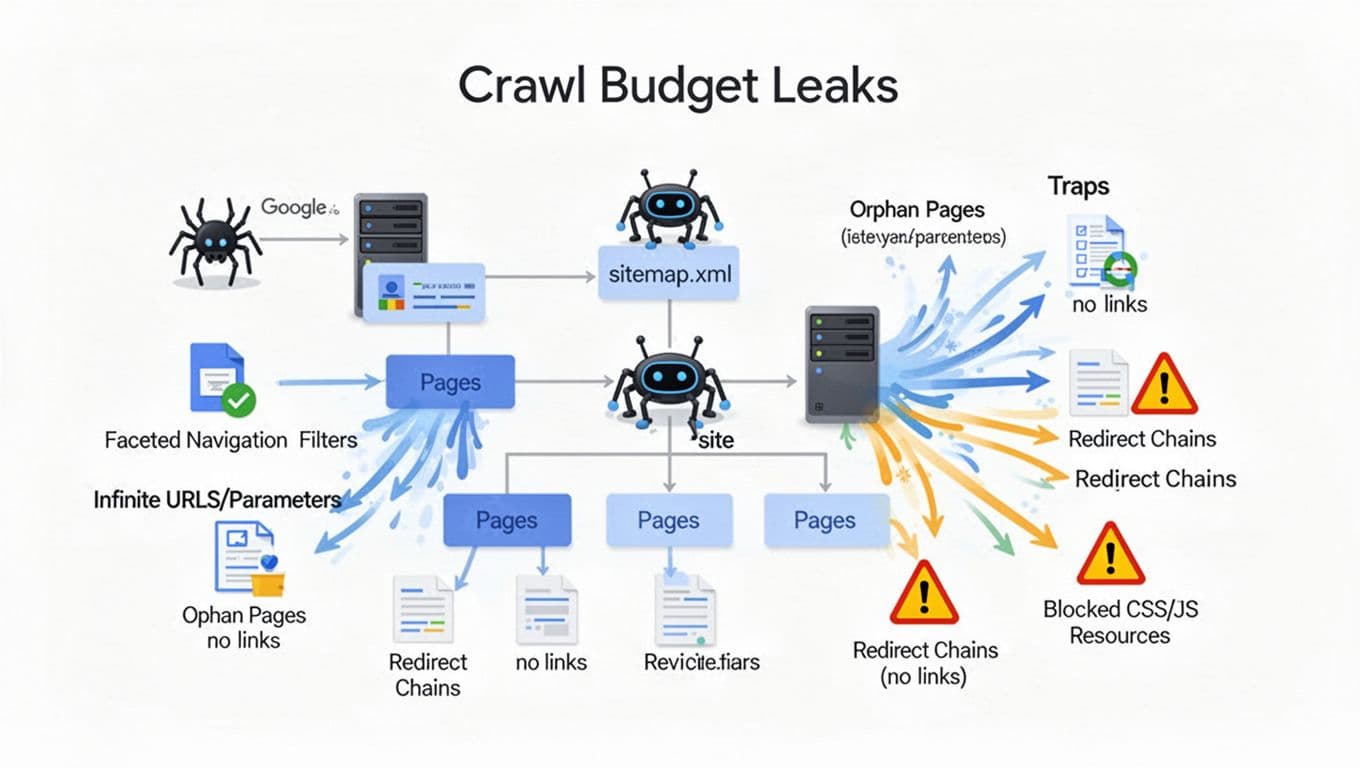
Crawl budget talk can sound abstract. In practice, it’s simple: Googlebot shows up with a torch and limited time. If it spends the night wandering your filter URLs, it won’t reach your best pages.
Issue 4 is parameter and faceted navigation traps. Filters can generate near-infinite URLs, especially when sort orders, colour, size, and pagination combine. Watch for spikes in Crawl stats, and confirm in logs by grouping requests by URL pattern. Fixes vary: block low-value patterns in robots.txt, consolidate with canonicals, or restrict indexable facets to a small, intentional set. Improving crawl efficiency here also boosts user experience by ensuring key pages get indexed quickly.
Issue 5 is Robots.txt file blocking key URLs. It’s common to block /search or /filter/, then accidentally block a whole product or blog folder — we have a full breakdown of the robots rules that de-index news sections by accident. A safe, readable reminder looks like this:
User-agent: *
Disallow: /search
Keep it tight. Then retest in URL Inspection, because “blocked” can also mean a blocked resource, not the page itself.
Issue 6 is blocked CSS/JS and rendering failures. Modern sites often rely on JavaScript to output main content. Google can render JavaScript, but it may crawl first and render later. If key CSS/JS files (render-blocking resources) are blocked, the rendered page can look empty, which nudges Google towards “not indexed” or poor canonical choices. Use URL Inspection’s live test and compare rendered HTML to what a user sees.
Issue 7 is Redirect chains and loops. A single 301 is fine. Three hops, mixed 302s, or a loop will chew through crawl resources and slow down consolidation. In logs, look for repeated hits to old URLs. In Crawl stats, watch for high redirect responses.
For teams stuck with “Google isn’t crawling new pages”, factors like page speed can influence crawl frequency; this guide is a practical companion to your own log and GSC checks: why Google may not crawl new pages (2026).
Indexability conflicts: when your directives and signals disagree
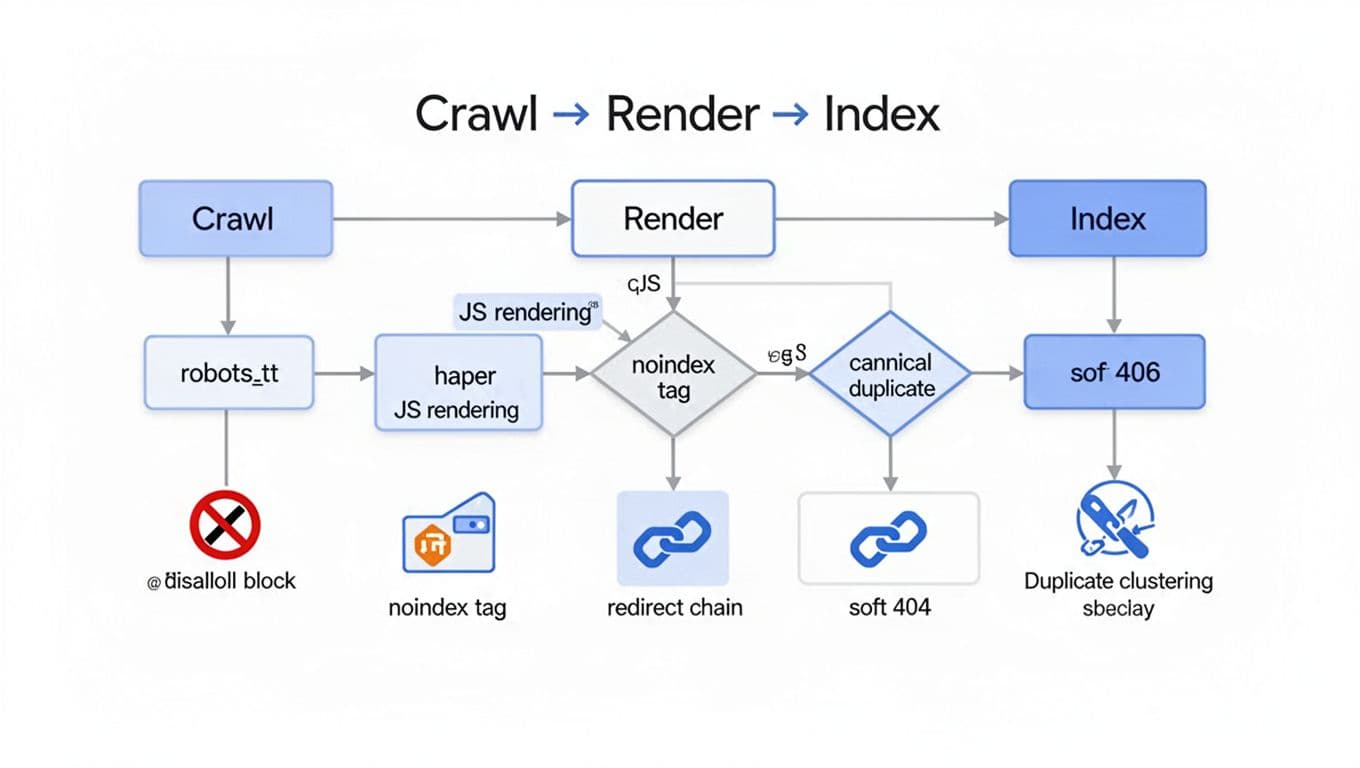
Some pages get crawled cleanly, yet still vanish from the index. That’s usually because the signals are arguing, and Google picks the least risky path.
Issue 8 is “noindex” leaks from noindex tags, especially after template updates. Check both HTML and headers. These are common culprits:
<meta name="robots" content="noindex,follow">
X-Robots-Tag: noindex
Remember that X-Robots-Tag can apply to PDFs and non-HTML responses too. One misconfigured CDN rule can quietly de-index whole sections.
Issue 9 is canonical conflicts and duplicate clustering with canonical tags. If your page declares:
<link rel="canonical" href="https://example.com/a/" />
but internal links point to /a?ref=nav, and the sitemap lists the parameter version, Google may cluster the wrong URL, or mark your preferred URL as “Duplicate content, Google chose different canonical”. Align the trio: internal linking, sitemap entries, and canonical tags. Also avoid self-contradictory setups like canonicals pointing to URLs that 301 elsewhere. If you syndicate content to partner sites, that guide covers the extra rules that apply.
Issue 10 is soft 404s and 200 error pages that mimic 404 errors. If “out of stock” pages show a thin message with a 200, Google may label them Soft 404. Similarly, broken pages that return 200 can poison trust in a template folder. Fix by returning the right status codes (404 errors or 410 for gone, 503 for temporary outages), and by offering useful alternatives when content is removed.
Monitoring and QA that prevents re-breaks after releases
Treat releases like airport security: boring when it works, painful when it doesn’t. Sample log files weekly (even 1,000 Googlebot hits can reveal traps), and compare Crawl stats trends after deployments. Keep sitemaps clean, and run a small regression set: top templates, key canonicals, robots rules, and a handful of pages that rely on JS rendering. When something changes, URL Inspection on a “live test” catches surprises before Google does.
A solid Technical SEO strategy must also include monitoring Core Web Vitals like Largest Contentful Paint (LCP) and Cumulative Layout Shift (CLS), since poor scores can signal quality issues that impact indexing.
Technical QA Checklist
- Confirm mobile-first indexing setup
- Test mobile usability on key pages
- Validate structured data including schema markup like local business schema
- Verify SSL certificate status
- Check hreflang tags for multilingual content
- Review site architecture for optimal crawl paths
For additional examples of technical issues that often hide otherwise strong content, this roundup can help you sanity-check your own list: common technical SEO issues in 2026.
Conclusion: make your best pages easy to find, then easy to trust
When strong pages don’t rank, don’t start by rewriting them. Start by resolving crawl and index issues, proving whether Google can discover them, crawl them, render them, and keep them indexed. Fix the ten failure points above, and your content stops whispering from the back room.
Choose one key URL today, run it through URL Inspection in Google Search Console, then trace the problem to its source. That’s the fastest way to turn technical SEO from theory into visible results.