
Listen to this post: How to Start a Podcast with Simple Equipment (A Beginner’s Guide for 2026)
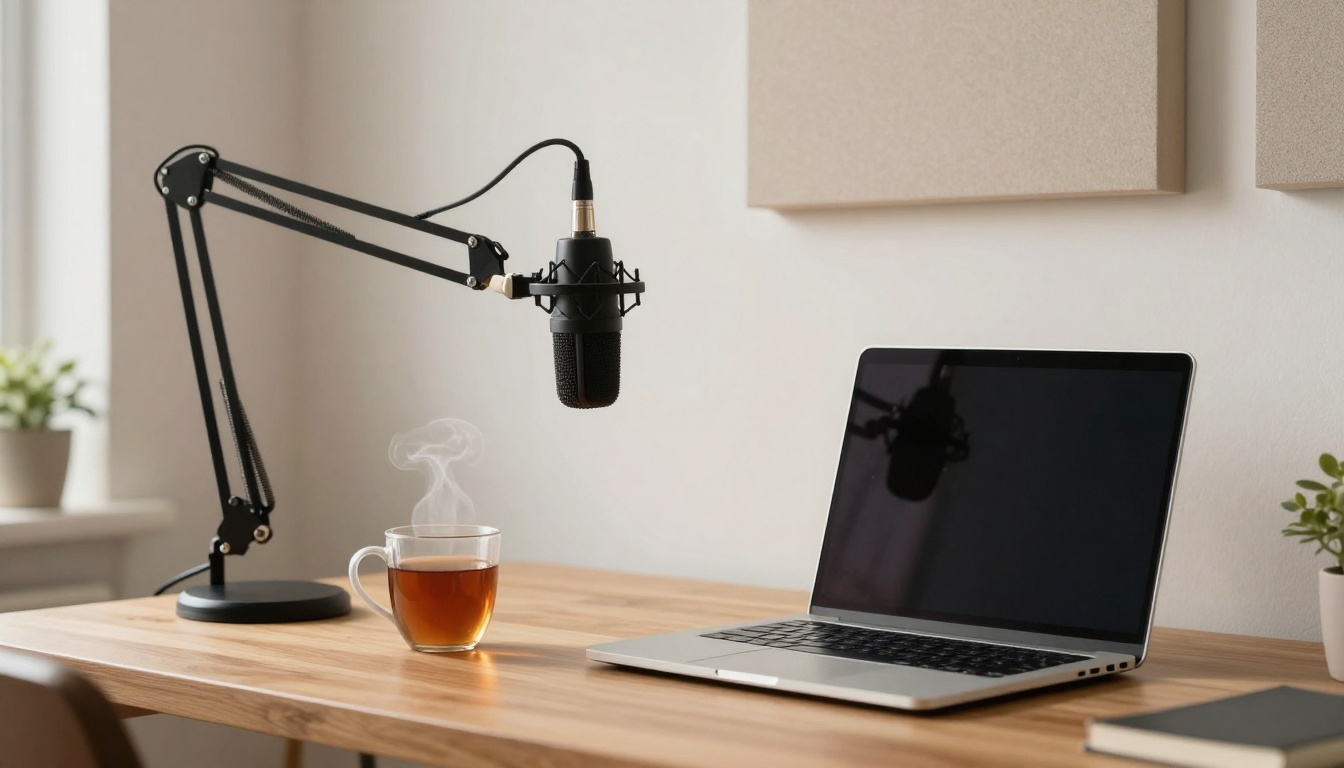
Picture this: a quiet corner of your home, a laptop, a mug of tea that’s gone slightly cold, and one microphone on a small stand. That’s it. No studio lights. No wall of foam tiles. No complicated desk full of knobs.
You can start a podcast with simple equipment this week, and it can sound properly good. The secret isn’t spending big, it’s getting clean voice audio, keeping background noise low, and building a setup you can repeat every time.
In this guide, you’ll learn what to buy first (and what to ignore), how to make a normal room sound better in 10 minutes, and a simple free workflow to record, edit, and publish your first episode.
Start with the simplest setup that still sounds good
Your goal is simple: clear voice, low noise, and a setup you can set up again tomorrow without thinking. If your recording process feels fiddly, you’ll avoid it. If it feels easy, you’ll keep showing up.
A tight “buy this first” shortlist can often stay under £200 (prices vary, especially in January sales). Start with these three items:
- A USB dynamic microphone
- Closed-back headphones
- A basic desk stand (or boom arm if your desk is noisy)
Why dynamic? In normal homes, sound bounces around. Kitchens click. Radiators tick. Lorries pass outside. Dynamic mics pick up less room noise than many sensitive condenser mics, so you get more “voice” and less “room”.
If you want a broader beginner overview for gear choices and budgeting, this guide is a useful cross-check: Setting Up a Podcast: A Beginner’s Guide.
Simple equipment list for a first episode (what to buy, what to skip)
If you buy only three things for episode one, make it these.
1) USB dynamic microphone (Samson Q2U is a proven pick)
The Samson Q2U is popular because it’s forgiving. It helps you sound closer, warmer, and more “radio” without needing a treated room. It also keeps your setup simple: plug it into your laptop and record.
2) Closed-back headphones (Sony MDR-7506 is a studio standard)
Closed-back headphones stop sound leaking back into the mic. The Sony MDR-7506 shows up in studios for a reason: they’re clear, they reveal hiss and mouth noise, and they make you notice problems before you publish them.
If those are out of budget, any closed-back headphones you already own can work for a first run. The key is that you can hear what the mic is hearing.
3) A basic desk stand
A stand is less glamorous than a mic, but it fixes two beginner issues fast: wobble and handling noise. If you hold a mic in your hand, every little movement turns into a low thump in your recording.
A small desk stand is enough to start. A boom arm can help later if your desk is shaky or you type notes while recording.
What to skip at the start (you’ll thank yourself later)
It’s easy to buy “podcast-looking” gear that doesn’t improve your sound.
- Mixers (unless you’re doing live music or complex multi-guest setups)
- XLR interfaces (useful later, not needed for your first episodes)
- Sound panels (you can tame echo with soft things first)
- Expensive cameras (a podcast can grow just fine as audio-first)
If you already have…
A smartphone can record a pilot if you need to spend zero. Put it close to you, keep the room quiet, and treat it like a test. But the fastest quality jump, without learning lots of tech, is a USB mic.
For another practical equipment breakdown from people who work with podcasts daily, this is worth a skim: Essential Podcasting Equipment for Beginners.
USB mic vs phone vs headset mic (quick decision guide)
This decision doesn’t need to be dramatic. Think of it like shoes: you can go for a run in anything, but the right pair makes you run more often.
| Option | Best for | Main upside | Main downside |
|---|---|---|---|
| USB microphone | Most beginners | Best value and speed | You still need a decent room |
| Phone | Zero spend pilots | Always available | Can sound thin, picks up room noise |
| Headset mic | Calls-style shows | Hands-free | Often boxy audio, can hiss |
A simple rule:
- Choose a USB mic if you can spend anything at all.
- Choose a phone if you’re testing the idea this weekend.
- Choose a headset only if you must, and only in a quiet room.
One small technique helps all three options: keep the mic 10 to 15 cm from your mouth, and speak slightly across it (not straight into it). That angle reduces “p” pops and harsh breath noise without you buying extra kit.
Set up your recording space in 10 minutes, no studio needed
Most new podcasters blame their microphone when the real problem is the room.
Rooms have a sound. Some rooms flatter your voice. Others make it bounce around like a rubber ball in a hallway. Your job is to make the room calmer, using things you already own.
Three common problems show up fast:
- Echo (hard surfaces bouncing your voice back)
- Hum (fans, fridges, laptops, traffic rumble)
- Street noise (windows, thin walls, busy times of day)
You can reduce all three without spending much.
Pick the quiet spot and tame echo with soft things
Echo happens when your voice hits hard surfaces (walls, windows, bare floors) and returns a split second later. It’s why a bathroom makes you sound loud but strange.
Quick fixes that work surprisingly well:
Close the soft stuff: curtains, thick blinds, even a duvet over a curtain rail if you’re desperate.
Add a rug: bare floors reflect sound; rugs soak it up.
Record near clothes: an open wardrobe of hanging clothes is basically a free sound absorber.
Face a bookshelf: books break up sound and stop the “empty room” ring.
Also, silence the small villains:
- Turn off fans and extractors.
- Move away from windows.
- Unplug chargers that buzz (some do).
A 10-second test saves you an hour of editing: clap once. If it rings or feels “tinny”, add more soft items and clap again. When the ring dulls, your voice will sound more direct and present.
Mic placement and settings that stop beginner mistakes
You don’t need perfect settings, but you do need repeatable ones.
Position: mouth level, on a steady stand.
Distance: roughly 10 to 15 cm from your mouth.
Angle: slightly off-centre, so air doesn’t hit the mic head-on.
Don’t hand-hold: it adds thumps and rustle.
Headphones matter here because they act like a mirror. You’ll hear things you’d miss on laptop speakers, like a faint hiss, a neighbour’s bass, or your own breathing.
A simple recording level rule works in most apps: set your input so your normal speech sits comfortably below the red. If your loudest words are hitting the red, lower the input gain. Clipping sounds like a harsh crunch, and it’s hard to fix later.
If you want UK-specific, step-by-step planning advice for getting your show off the ground (naming, format, early decisions), this is a solid reference: Starting Your Own Podcast UK: A Step-by-Step Guide for Beginners.
Record, edit, and publish your first episode with free tools
A first episode doesn’t need to be a full “season opener”. Think of it like opening the curtains. You’re letting people see what the show is, and you’re proving to yourself that you can do it.
Keep your first recording short: 8 to 15 minutes. That’s long enough to feel real, but short enough that editing won’t drain your energy.
Your basic path looks like this:
Plan a simple outline, record, tidy the worst bits, export, publish.
Free recording and editing workflow (Audacity and GarageBand)
You can do this with free tools and a calm, repeatable routine.
Audacity is the go-to free editor for Windows and Mac. GarageBand is a good free option on Mac. Pick one and stick with it for a month, because switching tools mid-flight is where momentum goes to die.
A beginner-safe workflow:
1) Record a 30-second test
Say a few lines in your normal voice, then play it back on headphones. Listen for echo, hum, and mouth clicks.
2) Record the episode in one take
Don’t stop for every stumble. If you mess up, pause for two seconds and say the line again. That pause makes it easy to spot in the waveform.
3) Listen once, then cut only the big mistakes
Remove long silences, repeated sentences, and obvious distractions. Keep the rest. A podcast should sound human, not airbrushed.
4) Use light noise reduction (only if you need it)
If there’s constant hiss or low hum, a gentle reduction can help. Heavy noise removal can make your voice sound watery and strange.
5) Normalise volume
This brings the overall loudness to a sensible level. It won’t fix wild shouting and whispering, but it stops your episode being too quiet.
6) Export as MP3
Most hosts accept MP3 easily. Use a clear file name (for example, showname-ep01.mp3), so you don’t lose track later.
One caution that saves many new podcasters: don’t over-edit. If you slice every “um” and every breath, you’ll start to hate your own voice. Aim for clear and comfortable, not perfect.
Hosting and distribution made simple (Spotify for Podcasters and more)
A podcast host does three jobs:
- Stores your audio files
- Creates an RSS feed
- Sends your show to listening apps (Spotify, Apple Podcasts, and others)
In January 2026, free and low-cost hosting is still strong. Spotify for Podcasters remains a popular free option for beginners, and free tiers from RSS.com and Podbean are also common choices (each with different limits and features).
You don’t need to understand RSS deeply. You just need a host you trust, and a clean setup.
When you publish, focus on these basics:
Episode title: make it clear, not clever.
Show notes: 3 to 6 short lines on what listeners will hear.
Cover art: a square image, often recommended at 3000 x 3000 px (check your host’s current spec).
Consistent release day: even fortnightly is fine, as long as it’s predictable.
Music is a common trap. Don’t grab a popular song “just for the intro”. Use royalty-free tracks or the music library your platform provides, so your show doesn’t get flagged later.
If you want a deeper look at the overall process, including publishing steps and common beginner mistakes, this guide is a strong companion read: How to Start a Podcast: Complete Step-by-Step Guide.
Conclusion
That quiet corner, the laptop, the tea, and one mic is enough. Pick a topic you can talk about without forcing it, choose the simplest gear you can afford, soften the room, and record a short pilot today. Consistency beats perfection every time.
Here’s your tight first-episode checklist: USB dynamic mic, closed-back headphones, steady stand, soft furnishings to cut echo, levels not hitting red, 8 to 15 minutes of content, light edits, MP3 export, simple title and notes, then publish. It might feel a bit rough at first, but that’s normal. Put it out anyway, and let the next episode be better.