
Listen to this post: How to Plan Your Week Using Just Your Phone (Without Losing Your Mind)
Picture this: it’s Sunday night. You’re knee-deep in a pile of sticky notes, scribbling tasks that blur together. Emails ping from work, kids yell for dinner, and half your to-dos already slip your mind. Sound familiar? That chaos ends when you switch to your phone. Apps keep everything in one spot, sync across devices, and nudge you with smart reminders.
No more lost lists or mental overload. You’ll cut stress, sharpen focus, and reclaim free time for what matters, like a pint with mates or a lazy lie-in. This post walks you through it all: pick the right app, map your week in 30 minutes, dodge daily burnout, and review like a pro. With 2026 trends leaning into AI schedulers like Motion and Reclaim.ai, planning feels effortless on your smartphone.
 Photo by Ann H
Pick the Right App to Match Your Life
One app trumps juggling five. It syncs tasks, calendar, and habits without the hassle. In 2026, top picks shine for weekly views and phone ease. Start simple or go AI-smart.
Google Calendar handles basics with week overviews, task lists, and goal reminders. It’s free, works on Android or iOS, and shares events fast. Todoist nails tasks with priorities, recurring lists, and templates; pair it with Calendar for power. Notion lets you build custom calendars with databases, ideal if you tweak setups. Apple Reminders suits iPhone folk with quick lists and location alerts.
Test free versions first. Most folks thrive on Google Calendar plus Todoist. They cover 80% of needs without overwhelm.
| App | Key Weekly Feature | Free Tier? | Best For | Platforms |
|---|---|---|---|---|
| Google Calendar | Colour-coded week view | Yes | Basics and sharing | All |
| Todoist | Priority lists, filters | Yes | Task masters | All |
| Notion | Custom dashboards | Yes | Builders | All |
| Apple Reminders | Simple shared lists | Yes | iPhone users | Apple |
Free Starters That Sync Everywhere
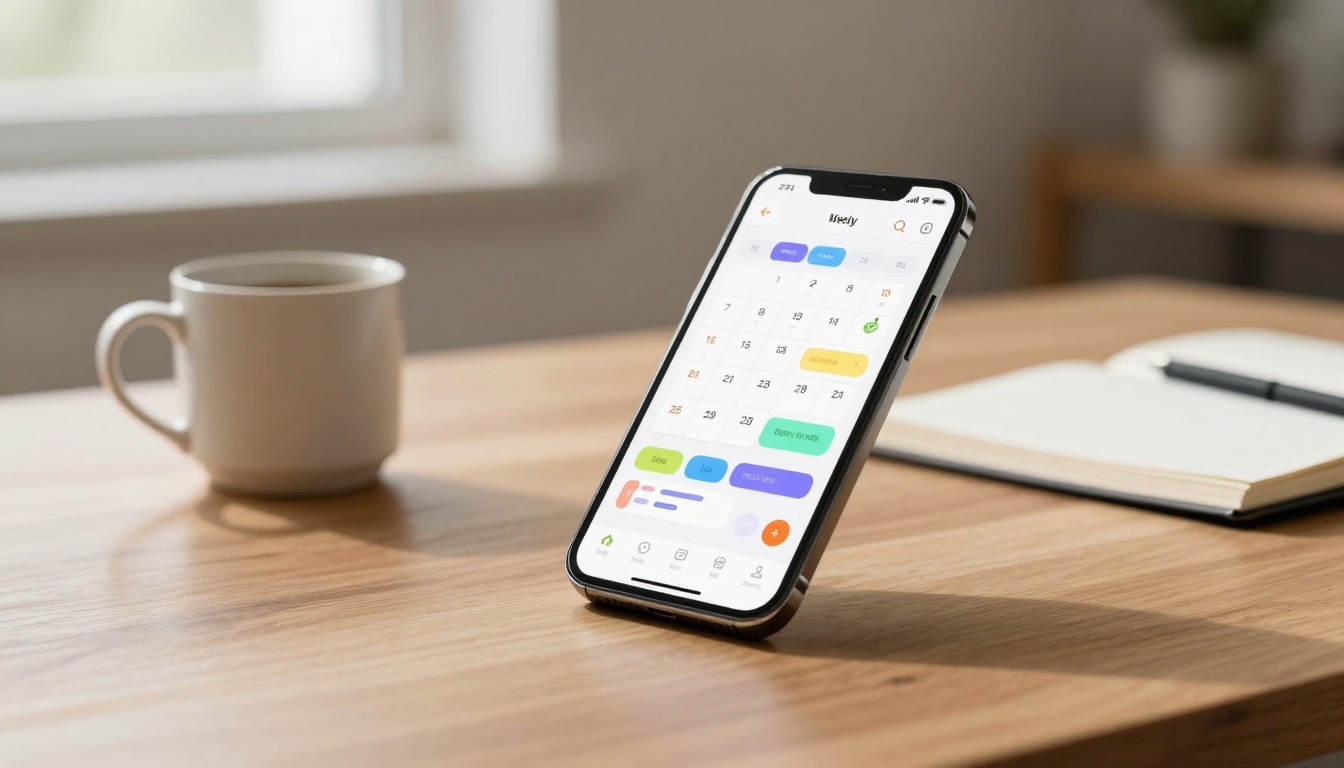
Google Calendar shows your week at a glance. Drag events, add tasks, set reminders that buzz your phone. Open it Sunday, scan gaps, fill with colour blocks.
Todoist builds lists like “Work Wins” or “Home Hustle”. Mark priorities with stars, use templates for weekly resets. It syncs to your watch too.
Notion crafts a planner page: embed calendars, link notes. Apple Reminders pops lists with due times. Each sets up in minutes; pick one, download now.
Upgrade Picks for Extra Focus
TickTick blends tasks with Pomodoro timers and habit trackers. See your week, add 25-minute sprints; free tier rocks, premium at £3/month.
Sunsama guides calm blocks: pull tasks, slot them realistically. Trial it for focus flows. Motion uses AI to auto-schedule; feed tasks, it rearranges for changes, from £15/month.
Reclaim.ai’s planner guide lists more AI options that fit busy lives. These cut decision fatigue, but stick to trials before paying.
Build Your Week in 30 Minutes on Sunday
Grab your phone. It’s Sunday evening, tea in hand. Open your app. You map the week ahead without frenzy.
Step 1: Review last week. Note wins like “nailed that report” and slips such as “forgot gym”. Apps like Todoist archive this fast.
Step 2: List 3-5 big tasks per day. Block time: Monday 9-11am emails, 2pm client call. Use colours for work, home, self.
Step 3: Slot habits and buffers. Add 15-minute walks, 30-minute cushions for overruns. TickTick habits repeat daily.
Step 4: Set reminders. Gentle buzzes for starts, ends. Google Calendar shares with family.
This ritual takes 30 minutes tops. Your phone holds it all, no paper mess. Picture tasks lined up like soldiers, ready to conquer.
In 2026, prioritise must-dos first; AI in Motion shifts the rest. Feel the calm wash over as gaps appear for rest.
Block Time and Spot Gaps Fast
Drag tasks to slots in your app. Google Calendar’s week view highlights free hours. Leave 20% empty for life’s curveballs.
Todoist turns lists into blocks; spot overload when colours clash. This stops packing too much, keeps energy steady.
End Each Day with a Quick Reset
At day’s close, note three wins. Shift undone tasks forward. Plan tomorrow’s top three.
Todoist marks “today” lists; Sunsama prompts reviews. Sleep clear-headed, wake to a ready phone plan.
Daily Moves to Dodge Burnout Altogether
Limit to three must-do tasks daily. Label them bold in Todoist: “Must Do”. Others wait.
Use Pomodoro in TickTick: 25 minutes work, five rest. Watch tasks vanish as ticks pile up. Add habits like “stretch at noon”.
Friday scan: trim next week. Motion’s AI reprioritises if meetings surge.
Stick to one or two apps max. No overload. Readers swear by this: weeks flow smooth, Fridays free for footie or films.
Zapier’s calendar picks back TickTick for burnout-proof days. Integrate one trick today; feel the lift.
Blend phone nudges with real breaks. Walk after blocks, not mid-task. Your mind stays sharp, life fuller.
One user swapped notes for Todoist: “Tasks tick off, mind quiets.” Yours can too.
Wrapping It Up with Calm Fridays Ahead
You now know: snag Google Calendar or Todoist, Sunday 30-minute setup, daily resets, burnout dodges. Phone in pocket, week’s sorted.
Pick an app today. Map this week now. Watch chaos fade into calm Fridays, pint in hand, no loose ends.
Share your top trick in comments. What’s your go-to app? Here’s to weeks that work for you.
(Word count: 1482)