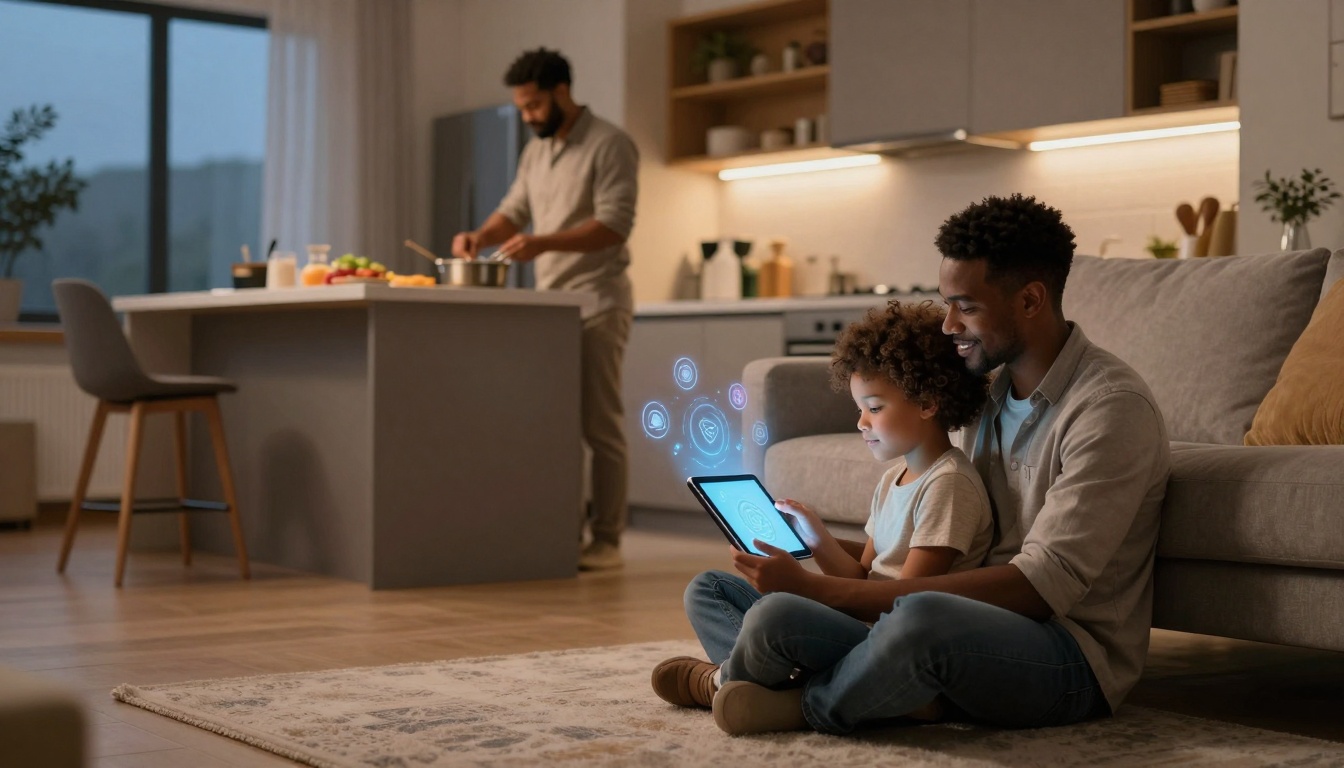

Listen to this post: Parenting in the Age of AI: Kids, Screens, and AI Tutors at Home
It’s 7:12 pm. Your child has one eyebrow raised over a maths question, and their tablet is chirping in the background with a bright, unstoppable stream of videos. You’re trying to cook, keep the peace, and remember whether the homework sheet said “show your working” or “show mercy”.
This is parenting in the age of AI. Not in the future, not in a lab, but in pockets, classrooms, and living rooms. AI can now explain long division, mark spelling, and generate a “perfect” paragraph in seconds. Screens can teach, distract, soothe, and steal sleep, sometimes all in the same evening.
This guide is for calm, practical choices. It’s about protecting sleep and focus, guarding privacy, and keeping family life steady. Along the way, we’ll use plain language:
- AI tutor: an app or chatbot that helps with learning, practice, feedback, and explanations.
- Generative AI: AI that creates text, images, audio, or code from a prompt.
- Personalised learning: work that adapts to a child’s level and pace.
Tech can help. Children still need humans.
Screens and kids: what matters more than minutes
Screen-time debates often sound like a stopwatch argument. “How many hours?” “What’s the limit?” But day-to-day parenting doesn’t happen in neat totals. It happens in messy context: a long car ride, a sick day, a rainy weekend, a parent on a late shift.
Recent research trends point to a key idea: quality and context matter as much as quantity. Instead of only counting minutes, use a simple lens:
- What is the screen replacing?
Sleep, outdoor play, reading, face-to-face talk, boredom (which kids secretly need). - What is the screen adding?
Learning, making something, connecting with family, practising a skill, calming down for a short time.
That same hour can land very differently depending on what’s on the screen, when it happens, and whether an adult is nearby.
Here are quick signs screen use is drifting into trouble:
- Bedtime keeps sliding later, mornings are harder.
- Your child gets jumpy or snappy when a device is removed.
- They stop choosing offline play they used to enjoy.
- They “need” a screen for every gap, even two minutes.
- Content becomes more frantic, more endless, more passive.
And signs screens are supporting your child:
- They can stop without a meltdown most days.
- They talk about what they watched or made.
- Use sits alongside sport, books, clubs, friends, and sleep.
- They’re creating more often, not just scrolling.
When screens cause problems: sleep, attention, mood, and language
When screens go wrong, they rarely do it with one dramatic bang. It’s more like sand in a zipper. Everything still moves, just not smoothly.
The most common issues linked with heavy or poorly managed screen use include:
- Later bedtimes and tired mornings: bright screens and exciting content keep brains “on duty” when bodies need to power down.
- Shorter attention: quick-fire clips train kids to expect constant novelty. School can feel slow by comparison.
- More arguments: battles often rise when a device becomes the main way to unwind.
- Low mood and anxiety: heavy recreational screen use is associated with higher risk of emotional and behaviour problems in large-scale reviews.
- Less talking for young children: under-fives learn language through real conversation, not just hearing words.
The pattern is usually the same: long hours, low-quality content, little adult involvement, and screens taking time from sleep, movement, reading, and face-to-face time. A broad review of research on child development and screen use highlights these trade-offs across age groups, especially when screens crowd out play and family interaction (ResearchGate overview).
A useful mental image is a dinner plate. Screens aren’t “poison”, but if they take over the plate, other things don’t fit. Kids still need protein: sleep, outdoor time, conversation, and unstructured play.
When screens help: guided learning, creativity, and real connection
Screens can also be a doorway, not a drain, when use is moderate, chosen, and supported.
Good uses tend to share a few traits:
- An adult is nearby, at least some of the time.
- The content has a clear end, not endless autoplay.
- The child does something with it after, talks, builds, draws, writes, tries again.
Screens can support:
- Guided learning: educational programmes and apps that practise reading, number sense, or languages.
- Creativity: older children editing video, making music, writing stories, drawing, or learning to code.
- Real connection: video calls with distant family can be meaningful, especially for young children, when an adult is present to help them chat.
A simple tip that works in most homes is: create more than you consume. If your child watches ten minutes of something, ask for two minutes back. “Tell me what happened,” or “Show me what you made,” or “Teach me one thing.”
That small habit turns a private screen moment into shared language and memory.
AI tutors for homework: smart helper or shortcut trap?
In January 2026, many families are using AI tutors because the need is real. Parents are busy, tutoring is expensive, and homework can arrive like a surprise test for the whole household.
AI tutors can:
- Explain concepts step by step.
- Generate practice questions at the right level.
- Give instant feedback.
- Rephrase a topic in a new way when the first explanation didn’t land.
Schools are also experimenting. Reporting on classroom use, including early literacy tools, shows AI tutors are becoming common, with mixed results that depend heavily on how they’re used and supervised (Education Week on AI tutors in reading).
The risk is simple: AI can turn homework into a copy-and-paste job. Children get “done”, but they don’t get better. You might see perfect answers, paired with confusion the next day.
A practical way to spot real learning is to watch what happens after the screen goes off. Can your child explain it back?
What AI tutors are good at, and where they fail
Used well, AI tutoring can be a strong support. Research on intelligent tutoring systems in schools suggests benefits, especially when tools are designed around learning science, not just novelty (systematic review in npj Science of Learning). Some studies also report strong outcomes in certain settings, although results vary by subject, age, and how learning is measured (Scientific Reports RCT).
What AI tutors can be great at:
- Personalised pace: more practice where your child is weak, less where they’re strong.
- Instant feedback: no waiting until tomorrow to find out what went wrong.
- Confidence: some kids ask more questions to a tool than to an adult, because they don’t feel judged.
- Extra help on thin evenings: when you’re juggling work, siblings, and dinner.
Where AI tutors fail, sometimes badly:
- Wrong answers and made-up facts: AI can sound sure even when it’s mistaken.
- Shallow learning: an answer can appear without the thinking that builds skill.
- Bias and uneven examples: depending on the system and training data.
- Less human connection: learning is social. Kids need encouragement, humour, and patience from people.
A rule that saves time and arguments is this: if your child can’t explain it back in their own words, they didn’t learn it. A polished paragraph isn’t the same as understanding.
A simple “AI homework routine” that builds real understanding
If AI is in your home, don’t make it a secret weapon or a forbidden fruit. Make it a routine. Predictable beats dramatic.
Try this six-step flow:
- Child attempts first
Even two minutes of trying matters. It shows what they know. - Ask AI for hints, not full answers
This keeps the thinking with the child. - AI explains like a teacher, with examples
Ask for a simple explanation and one worked example. - Child writes the solution in their own words
No copying. They can use notes, but they write it fresh. - Check against a trusted source
A textbook, school notes, or a reliable reference. AI should not be the only authority. - Parent does a two-minute talk-through
“Show me how you got that.” Keep it short, keep it kind.
Prompts that tend to work well for kids:
- “Give me three hints, not the answer.”
- “Explain where my working goes wrong.”
- “Ask me five questions to check I understand.”
- “Explain this like I’m 9 (or 14), using a real-life example.”
- “Give me a simpler method, then a harder practice question.”
This routine does something subtle. It trains your child to treat AI like a coach, not a ghost-writer.
For a wider view of how screens, schooling, and AI shape learning habits and future skills, this long-form discussion is worth a skim when you have a quiet moment (How Screens, Schooling & AI).
A family tech plan that actually works, without daily battles
Most screen battles aren’t really about screens. They’re about control, tiredness, and a child testing where the edge is. A good plan removes the daily negotiation.
A workable approach has three parts: plan, filter, talk.
Plan: clear rules for when, where, and what
Start with boundaries that match real family life. Pick a few you can stick to, not a long list that collapses by Wednesday.
Common rules that tend to reduce friction:
- No screens during meals.
- Homework happens before entertainment screens.
- No recreational screens one hour before bed.
- Devices charge outside bedrooms.
- Most device use happens in shared spaces.
You can explain the “why” without a lecture. Here’s a simple script you can borrow:
“We’re not doing this to be strict. We’re doing it for sleep, focus, and kinder moods. Your brain needs rest, and we need time together.”
Keep the tone steady. Kids accept limits faster when they feel the adult is calm and consistent, not angry and reactive.
Filter and talk: safer tools, normal check-ins, and critical thinking
Filters and parental controls help, but they’re not a full solution. Children live in a world of links, group chats, and shared devices. Talk does the long work.
When choosing apps and AI tools, look for:
- Clear age guidance.
- Strong privacy settings and minimal data collection.
- Parental controls that actually work.
- The ability to review activity without needing to “catch” your child.
- No hidden accounts or easy workarounds.
Make check-ins normal. Not “hand it over, I’m searching”, but “let’s look together”. That reduces secrecy and shame, which is where risky behaviour grows.
Teach simple critical thinking questions that children can remember:
- “Who made this?”
- “What does it want from me?”
- “How do I check it?”
- “How do I feel after using it?”
That last one matters more than it sounds. Some content leaves kids restless, snappy, or flat. Helping them notice the feeling is a life skill, not a screen rule.
Age-by-age guide: what to do from toddlers to teens
Every child is different. Maturity matters as much as age. Use these as starting points, then adjust based on how your child sleeps, plays, and copes with limits.
Ages 0 to 5: protect attention, language, and play
For under-fives, the priority is simple: real-world interaction. Faces, voices, books, blocks, mud, and making a mess.
Good principles for this stage:
- Keep screens short and high quality.
- Watch together when you can, talk about what’s happening.
- Choose slow, story-based content over frantic clips.
- Protect long stretches of play without background screens.
Be clear on one point: no unsupervised AI chat for this age. Young children take words at face value. They also can’t judge intent, ads, or manipulation.
One exception that can be lovely is video calling family, with an adult beside them, helping the chat along.
Ages 6 to 11 and 12 to 17: teach judgement, not just limits
For primary-aged children (6 to 11), you’re building habits.
Helpful focus areas:
- Use AI as a learning buddy, not an answer machine.
- Keep “show your working” as a house rule.
- Daily limits work best when tied to routines (after homework, after outdoor time).
- Protect offline hobbies, movement, chores, and in-person friends.
For teens (12 to 17), control shifts. You can’t watch everything. You can shape values and boundaries, and you can keep sleep safe.
With teens, make rules together and cover the real risks:
- Misinformation: teach them to check sources and compare claims.
- Deepfakes: talk about how easy it is to fake audio and video now.
- Social pressure: likes and streaks can run a teen’s mood like a remote control.
- Night-time phones: agree on charging outside the bedroom, or a set “phone curfew”.
Encourage teens to use AI for projects and creativity, like revising a topic, generating practice quizzes, brainstorming essay plans, or learning code. Be firm that using AI to cheat is a trap. It trades short-term relief for long-term stress, because gaps always show up later.
Conclusion
Screens and AI tutors are tools, not parents. Your child’s sleep, relationships, and curiosity come first, and they still grow best with people who notice them.
Hold to three anchors: choose better content, set simple boundaries, and stay involved with short daily chats. Start tonight with one rule you can keep, and one AI use that supports learning without stealing family time. The aim isn’t a perfect system, it’s a home that feels steady even when the wifi is strong.