
Listen to this post: How to Set Up a Smart Home on a Budget (UK Guide for 2026)
Picture a normal weeknight. You come in with cold hands and a bag cutting into your fingers. The hall light comes on without you fumbling for a switch. The heating nudges up for 30 minutes, not all night. A lamp in the living room warms the room with soft light, and your playlist starts with one sentence.
That’s the promise of a budget smart home, and in 2026 it doesn’t need to cost a fortune. You can start small, keep it under £200 if you shop sensibly, and add pieces over time without turning your house into a science project.
The trick is simple: pick one system, make sure your Wi-Fi can cope, and focus on two or three problems first (comfort, basic safety, saving energy). Everything else can wait.
Start smart, not big: set a budget plan that actually works
A smart home isn’t one big purchase. It’s a handful of small upgrades that build on each other. Think of it like adding shelves to a cupboard. You don’t rebuild the kitchen, you improve one useful corner at a time.
Start by choosing your top three goals. Keep them plain and personal:
- Lighting comfort: lights that match your routine (wake up, wind down, movie night).
- Simple security: know if a door opens, check a camera, get alerts.
- Lower bills: reduce waste with heating control and schedules.
Now decide your starting budget. For most people, a realistic first step is £80 to £200, depending on what you already own (speaker, tablet, router) and what’s on offer that week. You should also consider laptop buying tips for students, as they often have unique needs such as portability, battery life, and software requirements for their studies. Look for models that offer a balance between performance and affordability, and don’t overlook student discounts that many brands provide. Additionally, check for warranties and support options to ensure you’re covered in case of any issues down the line.
Spend the first chunk where you feel it every day. High-use areas pay you back in comfort fast:
Hallway: hands-full lighting and “all off” routines.
Living room: lamps, TV corner, music.
Bedroom: gentle wake-up lights, night routines.
One more money rule that saves real pain later: pick an ecosystem early. Buying “random cheap smart stuff” is how budgets quietly leak.
Choose your ecosystem first (Alexa, Google Home, Apple Home) and stick with it
One main app, one voice assistant, fewer headaches. That’s the whole idea.
- Alexa tends to be flexible and budget-friendly, with lots of compatible devices.
- Google Home works well if you already live in Google apps and Android.
- Apple Home (HomeKit) is great if you’re deep into iPhone and iPad, and you care a lot about privacy, but some kit costs more.
In 2026, also keep an eye out for Matter support. Matter is a common standard that helps devices work across platforms (not perfect, but better than the old “walled garden” approach). If you’re curious about where smart homes are heading this year, T3 often covers the direction of travel, including compatibility and product shifts: https://www.t3.com/home-living/smart-home/im-a-smart-home-expert-here-are-3-trends-im-hoping-to-see-in-2026
A quick money tip that’s easy to miss: build around what you already own. If you already have a compatible speaker, phone, or TV in one ecosystem, that’s your free “hub” to start with.
Make a room-by-room shopping list so you don’t overbuy
Budget smart homes fail in a very boring way: too many devices, too fast, and half of them don’t solve a real annoyance.
Use this method on a scrap of paper:
1) Write each room.
2) Write what annoys you daily. (Dark hallway, cold bedroom, lamp always left on, parcel anxiety.)
3) Write what you want automated. (One sentence per room.)
Add two guardrails.
Skip list for budget builds (for now): smart fridge, smart oven, smart bin, smart toaster. They’re costly, and they rarely change daily life in a way that matches the price.
Best first buys: smart bulbs, smart plugs, a door sensor, one indoor camera. These give you quick routines without a big install.
The best budget smart home kit to buy first (and what to skip)
In early 2026, the “starter kit” pattern is clear across most markets: get control first (bulbs, plugs), then add awareness (sensors, cameras), then upgrade expensive systems (heating) when you’ve proved you’ll use them. starting your blog in 2026 will be heavily influenced by these emerging trends, as understanding your audience’s needs is crucial. By staying informed about technology advancements and consumer preferences, you can create engaging and relevant content. This proactive approach will not only attract more readers but also establish your presence in a competitive digital landscape. As content creation evolves, incorporating easy methods for digital backups can enhance your workflow and protect your valuable data. Offering practical tips on securely storing content online will resonate with your audience and demonstrate your commitment to their success. Additionally, leveraging popular cloud storage solutions can streamline access to essential files, making it easier for readers to engage with your materials.
You’ll see price bands quoted a lot in dollars in reviews. Treat these as rough sale ranges, then compare UK prices across retailers and wait for deals.
| Starter item | Typical sale band (often quoted in $) | What it unlocks |
|---|---|---|
| Basic hub (optional) | Under $50 | A central brain for some devices, fewer Wi-Fi gadgets |
| Smart bulbs | $10 to $15 each (cheaper in multipacks) | Dimming, schedules, wake-up lighting |
| Smart plugs | $10 to $20 | Turns “dumb” lamps and small devices into smart ones |
| Indoor camera | $20 to $35 | Live view, motion alerts, pet check-ins |
| Smart thermostat | $100 to $130 (on sale) | Smarter heating control, potential bill savings |
If you want product round-ups to compare categories, these can help you sanity check what’s worth your money:
- CNET’s guide to smart home devices: https://www.cnet.com/home/smart-home/best-smart-home-devices/
- PCMag’s testing-based picks: https://www.pcmag.com/picks/the-best-smart-home-devices
A simple “under $200 starter set” example (adapt to £ with UK deals)
You don’t need this exact mix, but it shows the balance:
- 2 to 4 smart bulbs (or a multipack)
- 2 smart plugs
- 1 mini smart speaker (if you don’t already have one)
- Optional: 1 door sensor or basic indoor camera
The principle is what matters: buy multipacks, avoid monthly fees at the start, and pay extra only when it saves you money later (heating control is the classic example).
Cheap wins that feel ‘smart’ fast: bulbs, plugs, and a mini speaker
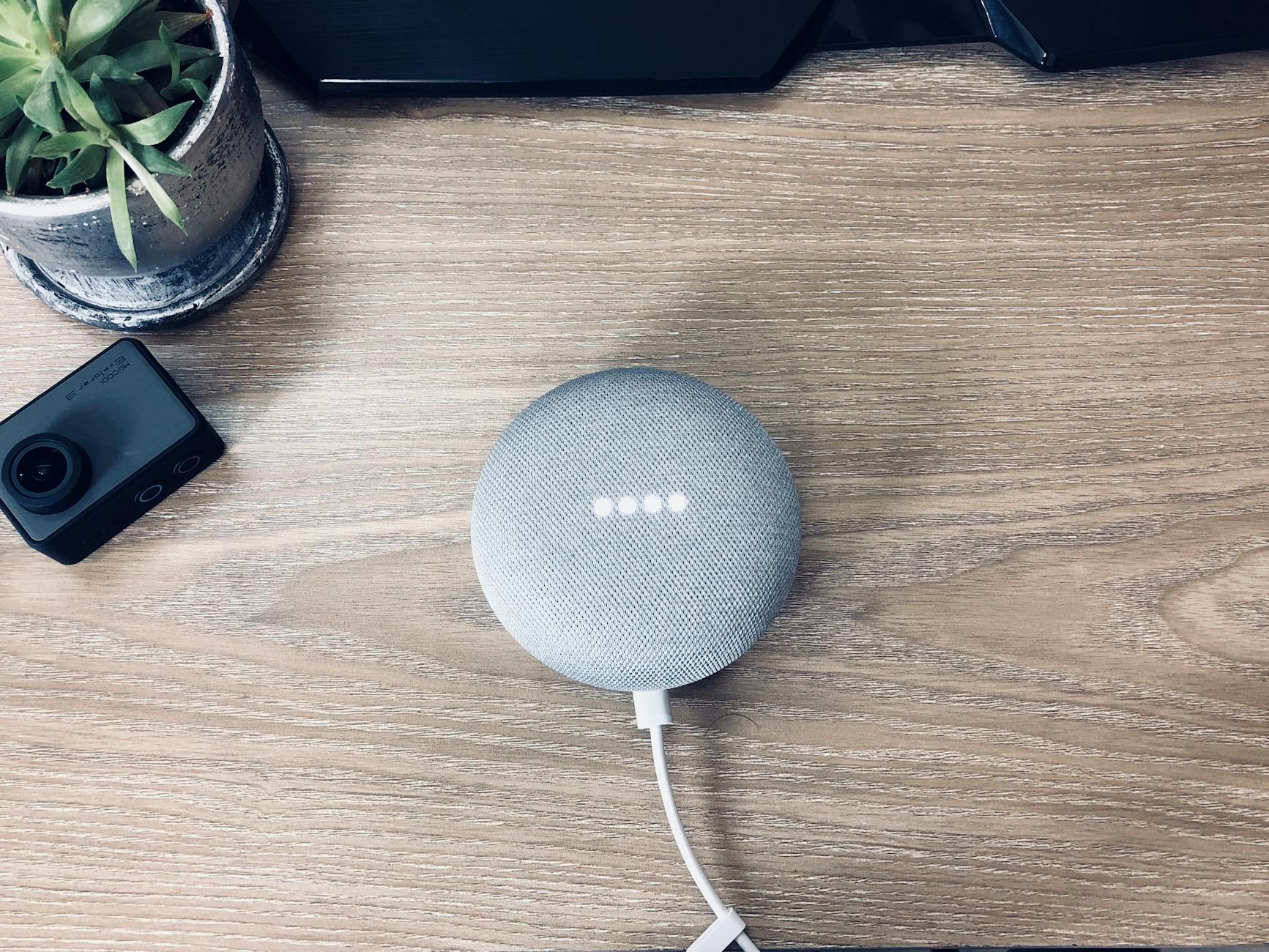
Photo by Foysal Ahmed
Smart bulbs and plugs are the budget sweet spot because they change the feel of a home right away. You don’t need tools. You don’t need a drill. You screw in a bulb, connect it in the app, and suddenly your living room has moods.
A mini speaker (or your phone voice assistant) makes it all feel effortless. Not because voice control is “lazy”, but because it’s fast when your hands are full, or when you’re half-asleep.
A few everyday uses that work well:
Bedtime routine: dim lights to 20 percent, turn the lamp off after 10 minutes, switch off a heater plug.
Morning lights: gentle fade-in so you wake up like a kettle coming to the boil, not a fire alarm.
Holiday mode: lights come on at sensible times so the place looks lived-in.
One practical detail saves a lot of swearing: many budget devices prefer 2.4GHz Wi-Fi (better range, slower speeds, perfect for plugs and bulbs). If your router merges 2.4GHz and 5GHz into one network name, you might need to pause 5GHz during setup, or use your router settings to split the names.
Low-cost security without subscriptions: cameras, door sensors, and smart locks
You don’t need a full security system to feel more relaxed. One camera and one sensor can cover 90 percent of what most people want: “Is the front door shut?” and “What was that noise?”
Indoor cameras are great for:
- checking pets when you’re out,
- keeping an eye on deliveries placed inside,
- peace of mind when you’re travelling.
Placement matters more than fancy features. Put it high, aimed at the room entry, not at a sofa or bed. Avoid pointing it at private spaces, even if you trust everyone in the house. It’s just good habits.
Door and window sensors are quiet heroes. You get a simple alert if a door opens while you’re out, or a reminder if you’ve left a window open on a cold night.
Smart locks and video doorbells can be affordable, but watch the long-term cost. Many features people assume are “standard” (cloud recording, rich alerts) can hide behind a subscription. If you’re comparing plugs specifically, this UK-focused round-up gives a feel for what’s worth paying for: https://www.telegraph.co.uk/recommended/tech/reviews/best-smart-plugs/
Security basics are part of the budget too. A hacked camera is not a bargain. Use strong passwords, switch on 2FA, and keep firmware updated.
Set it up in an afternoon: simple steps for a smooth install
A calm setup beats a fast setup. The goal is not “get everything online tonight”. The goal is “make it reliable”.
Use this order:
1) Check Wi-Fi first. Walk around with your phone, especially near doors and corners where you’ll place devices.
2) Add one device at a time. Connect it, update it, test it, then move on.
3) Name devices clearly. “Hall Light”, “Bedside Lamp”, “TV Plug”. Voice control depends on this.
4) Build one routine. A single routine proves the system works.
5) Test and tidy. Turn Wi-Fi back to normal, remove duplicate devices in apps, and label plugs if needed.
That last step matters. Smart home chaos often comes from untidy naming, half-finished setup, and forgotten trial subscriptions.
Wi-Fi basics for budget builds: coverage, 2.4GHz, and avoiding dropouts
A weak connection ruins smart homes. Not in a dramatic way, but in the slow drip of missed commands, lights that don’t respond, and routines that fail at the worst moment.
Three checks help most homes:
Signal test: stand where the device will live (hallway, bedroom corner). If your phone struggles, the device will too.
Router placement: high and clear beats hidden in a TV unit. Walls, mirrors, and big appliances all reduce range.
2.4GHz choice: use it for plugs, bulbs, and sensors. It reaches further, and these devices don’t need speed.
Try not to add ten devices at once. If something goes wrong, you won’t know which gadget caused it, or whether it’s your Wi-Fi.
Build your first routines: morning, movie night, and good night
Routines are where a “few gadgets” turns into a home that helps you.
Start with three you’ll actually use:
Good Night: turns off living room lights, switches off a TV plug, checks a door sensor state, locks up if you have a smart lock.
Morning: bedroom lights fade in, heating nudges on for a short window, kettle plug stays manual (for safety).
Movie: living room lamps dim, one lamp goes off, bias lighting stays low.
Keep routines simple at first. If you add too many steps, it becomes fragile. You can also try geofencing later (actions based on your phone’s location), but it’s worth waiting until your basics are stable.
Save money long-term: energy, security, and mistakes to avoid
A budget smart home can pay you back, but not because the gadgets are “efficient”. It pays you back because it changes habits. You stop heating empty rooms. You stop leaving lamps on all night. You notice patterns because the app shows you what’s happening.
This is also where people waste money, by buying clever toys that don’t fit their home.
Here’s a practical checklist you can screenshot:
- Choose one ecosystem and stick to it for your first wave.
- Buy 2 devices, set them up fully, then buy more.
- Prefer devices that work without paid subscriptions.
- Use 2.4GHz for small smart devices.
- Turn on 2FA and keep firmware updated.
Where the real savings are: heating control, schedules, and smart habits
Heating is usually the biggest lever. A smart thermostat costs more than a bulb, but it can cut waste if you use it properly.
The budget approach is simple:
- Buy heating control on sale, not at full price.
- Start with schedules and “away” settings, not fancy extras.
- If you rent or can’t change the thermostat, use smart plugs for safe, simple loads (lamps, fans) and focus on routines.
Even without a thermostat, schedules help. Plugs can cut standby power for devices you don’t need on overnight, like a TV corner or a gaming setup (as long as you switch them back on before use).
Avoid these budget killers: incompatibility, weak passwords, and subscription traps
Most smart home regret comes from three problems.
Incompatibility: mixing ecosystems too soon, or ignoring “Works with” labels.
Subscription traps: buying a cheap camera, then paying monthly for the only features you wanted.
Weak security: default passwords, no 2FA, never updating firmware.
A short security mini-checklist:
- Use unique passwords for your smart home accounts.
- Turn on 2FA wherever it’s offered.
- Do firmware updates once a month, set a reminder.
Conclusion
A smart home on a budget doesn’t need a grand plan. Start with one speaker or hub you’ll actually use, then add bulbs and plugs where your day feels messy. Once that works reliably, add one security device or consider heating control if bills are biting.
The best part is the slow build. Each small upgrade makes the next one easier. Pick one room this week, buy only two devices, and get one routine working properly. When it feels boring and reliable, you’ve done it right, and your budget smart home will keep earning its place.